

Short programme
The AI Operator
The thesis
Stop chatting with AI. Start operating it. Six evenings, one working AI system — yours.
This is not an AI leadership course, and it is not a prompting course. The most effective founders run AI in closed loops: everything logged, every decision recorded, every output feeding the next run so the system compounds and gets more useful every week. Vibe coding could get you a throwaway prototype; agentic engineering writing specs, engineering context, delegating work to AI agents, and verifying the result builds things that actually work. Over six live evening sessions, you learn that method from practitioners who run these systems daily, and you apply it: you leave with a working AI system built around a real pain point in your own work with at least one other person already using it or its output by Demo Day and the loop that makes it smarter every week. Not slides about what AI could do. A system that is already doing it.
What makes this course different
By the end of this course, participants will be able to:
- Claude Code in the terminal is the spine. Not a session 5 advanced topic. From Day 1, you operate in the environment that senior practitioners actually use — the same one that has overtaken browser-based chatbots as the frontier interface for serious work.
- You ship a real artifact, not a personal commitment. By the end of this course, you have deployed an internal tool at your company, used by at least one colleague. The course doesn't end with a 90-day plan. It ends with something that exists.
- Practice between every session, made public. Mon–Wed–Fri rhythm means 48-hour feedback loops. Every assignment gets posted to the cohort Slack — Loom, screen recording, write-up. Public commitment is the engine.
- Peer learning is not an extra. It is the design. Every session opens with 20 minutes of cohort report-back. The most valuable signal in any AI cohort comes from the person sitting next to you. We make that the structural centre, not a coffee break.
- Practitioner-led, currency-obsessed. Sessions are taught by a senior practitioner currently building with AI in industry. The curriculum is rewritten before every cohort because the underlying technology genuinely changes that fast. We turn that pace into the lesson.
- A dedicated program manager runs the cohort. Between-session questions, peer connections, and pattern-spotting are actively curated by ESCP Blue Factory staff. The instructor focuses on session quality. The cohort never goes quiet.
Who this is for
Entrepreneurs, founders and corporate operators who approach AI from a business and execution perspective and want to translate it into concrete workflows, prototypes and use cases. No coding background required this course does not teach you to code; it teaches you to direct agents that work for you. You should be comfortable installing software on your own laptop (the course works in the terminal, with Claude Code) and willing to do real work between sessions. This is a build cohort, not a passive overview if you want slides, this is the wrong course.
How the cohort works
The roles
The course is delivered by three roles, each with a clear remit:
- Lead instructor — a senior practitioner who teaches the live sessions, reacts in real time to what the cohort is bringing, and surfaces patterns. Focused on session quality, not async support.
- Program manager — ESCP Blue Factory staff who runs the cohort Slack between sessions, answers questions, connects peers working on similar problems, and escalates to the instructor when needed.
- The cohort itself — 20 peers running parallel builds on their own real problems. The Slack is where most of the between-session learning happens.
The session structure
From Session 2 onward, every session follows the same rhythm:
- 20 minutes — cohort report-back: what people tried, what shipped, what failed
- 30 minutes — instructor input: pattern-spotting, demos of current best-in-class tools, frame for the next experiment
- 40 minutes — live build on each participant's shipping artifact, with instructor and peer support
- 10 minutes — set the next assignment and commit publicly to the cohort
Between sessions
48 hours between sessions, by design. Each participant runs one concrete build on their shipping artifact and posts the result to the cohort Slack. The program manager surfaces interesting threads, connects peers working on related problems, and escalates blockers. The cohort never goes quiet.
Pre-session onboarding
Five days before Session 1, every participant receives an onboarding pack: install instructions for Claude Code, a 60-minute self-paced tutorial, a permissions checklist, and an optional 30-minute setup call with the program manager three days before the course starts.
By the time Session 1 opens, every laptop is ready. Nobody arrives blocked. This is non-negotiable —
it is the single most important predictor of cohort success and we treat it that way.
Agenda
- Session 1 – Mon 31 Aug – James Martin: Frugal AI
- Session 2 – Wed 2 Sep – Anselm: From Chatbots to Agents
- Session 3 – Fri 4 Sep – Jan Kulp: Creativity & Opportunity
- Session 4 – Mon 7 Sep – Livia Zimermann: Building Your Operator System
- Session 5 – Wed 9 Sep – Stephan von Perger: Agentic Engineering
- Session 6 – Fri 11 Sep – Jan Kulp: Demo Day
Speakers
 Livia
Zimermann
Livia
Zimermann
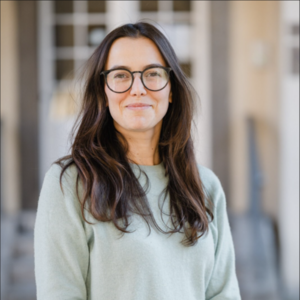
Livia Zimermann is 4x founder, currently building NESSUNA, a patent-pending biotech company working on women's health based in Paris. She runs her company on the systems this course teaches. Until June 2026 she led ESCP’s Entrepreneurship Hub Germany, Blue Factory Berlin, home to an ecosystem of 13 ESCP-founded unicorns and 12,000+ founders, investors and corporate innovators. She mentors founders at Carbon13, studied Artificial Intelligence at Stanford Continuing Studies, and Innovation Management, Entrepreneurship and Sustainability at TU Berlin.
 Anselm
Ohme
Anselm
Ohme
Anselm Ohme is a consultant at McKinsey & Company, where he has spent the past five years advising organizations on artificial intelligence — most recently as part of the firm's Global AI Transformation Office and the McKinsey Center for Future Mobility. His work focuses on turning generative AI from ambition into adoption: designing AI strategies, deploying AI into real business workflows, and orchestrating cross-functional teams through complex transformations. Before McKinsey, Anselm founded and ran his own startup and gained experience at EY and Accenture, complementing a background in industrial engineering and strategic management. At ESCP he is currently pursuing a PhD, in the course of which he built VisualLab, an AI platform for research — combining hands-on technical work with an academic perspective.
 Jan-Friedrich
Kulp
Jan-Friedrich
Kulp
Jan-Friedrich Kulp holds a PhD in Entrepreneurship Studies from ESCP Business School in Berlin and is currently a postdoctoral researcher at EGADE Business School in Mexico City. His research examines how macroeconomic changes, particularly polycrises, reshape organizational priorities and entrepreneurial ecosystems. He also studies how generative AI transforms entrepreneurial creativity, ideation, and early-stage venturing processes. His work has been published in leading academic journals, and he collaborates with prominent scholars in the field.
 James
Martin
James
Martin
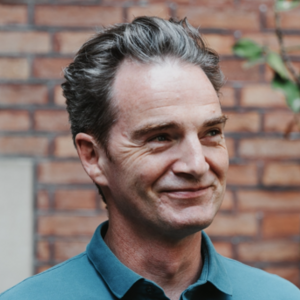
James Martin is the founder of BetterTech, and a leading expert on frugal and responsible AI. He has conceived training courses on each of these topics for GreenIT.fr, and advises large corporates such as VINCI, Sopra Steria and ABN-AMRO, on how to use AI more consciously. Sustainable usage, conscious prompting, and cost as a design constraint are just some of his leitmotiv. A frequent speaker and lecturer on frugal AI, he provides organisations with the foundations to build AI systems that are affordable to run every day, not just impressive to demo.
 Stephan von Perger
Stephan is an experienced tech entrepreneur with 15+ years of experience in starting, growing and advising tech-enabled businesses as well as investing in early stage startups. Since 2019, Stephan's consulting firm QNTF has helped 200+ early-stage startup teams leverage no-code and ai-coding tools, set up growth analytics to get to traction & product-market-fit faster and launch investment fundraising processes to close Seed/Series A rounds.
Based in Berlin, in 2020 he also launched InnovatorsRoom, a digital community connecting 11k+ founders, investors and corporate innovators through jobs and knowledge sharing, previously cofounded the leading student temp worker marketplace Zenjob, invested as VC at Wellington Partners and worked at Citymapper & McKinsey after studying Computer Science at the University of Oxford.
An experienced public speaker, Stephan has delivered hundreds of keynotes and lectures worldwide for clients such as a16z, 500 Global, Westerwelle Foundation and others.